top of page
Using the Till
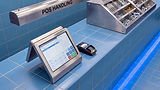
00:00 / 00:07
The till helps you process sales and work out change correctly. Learning the buttons means fewer mistakes.
00:00 / 00:27
The basic steps are:
Enter each item into the till.

01
Check the total on the screen.
02

Select the payment type (cash or card).
03

Enter the amount given and confirm.

04
The till shows the correct change to give.

05
Learning where each button is means faster, more accurate service for customers.
In the task below, practise entering a sale on the till.
bottom of page